PDF to Anki
Convert a Lecture PDF to Anki With the Source Slide on Every Card
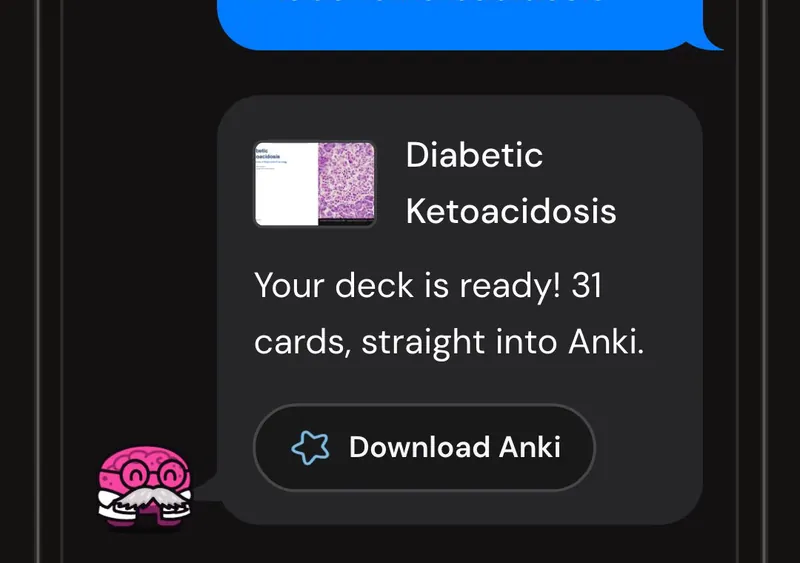
Upload a lecture PDF and get a real .apkg deck: basic, comparison, table, causal-chain and vignette cards, each with its source slide on the back.
- Input
- A lecture PDF, up to 100 pages and 200 MB. Text-based slides are the most reliable input
- Output
- A standard .apkg you import into Anki desktop, AnkiMobile or AnkiDroid
- Limit
- 100 pages per upload. A longer PDF opens the built-in splitter
- Card types
- Basic question and answer, comparison, table, causal chain, practice vignette
- What's on the back
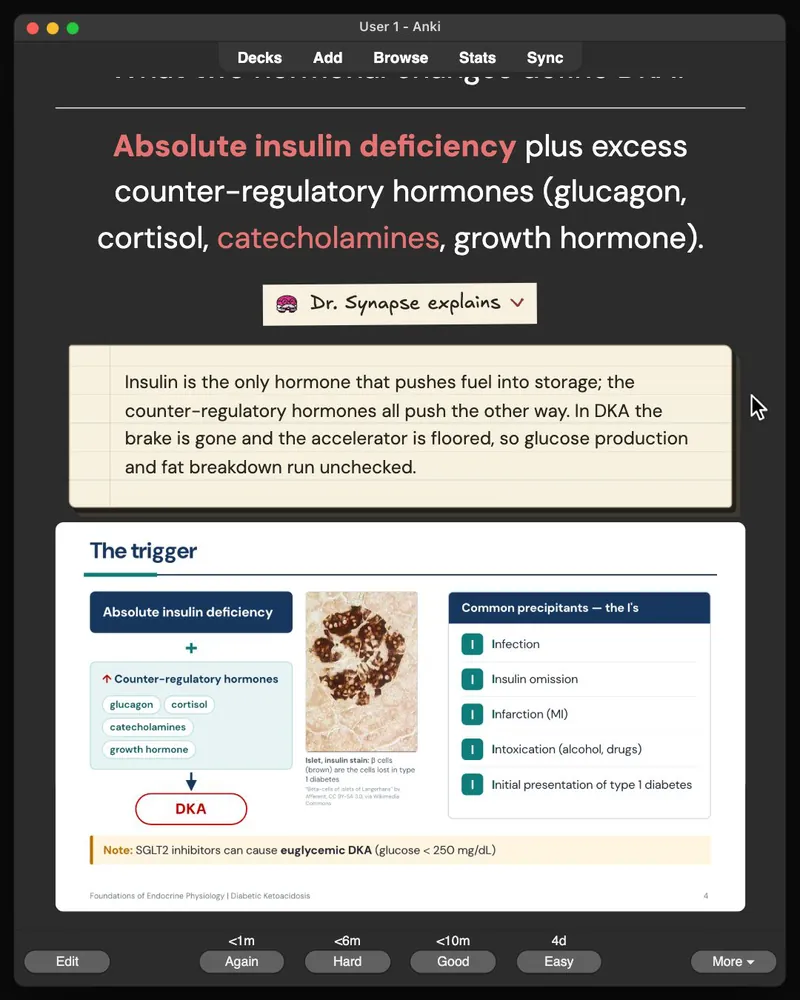
- The answer, a short why-it-matters note, and the source slide image
- Cost in credits
- One credit for the Anki deck. Two with Practice questions, three with the Story added
You have Thursday's 74-slide pathology PDF open in one window and Anki in the other. You want the cards in Anki, not a second evening of copying slide text into fields and cropping screenshots. One student on r/medicalschool described the manual version as “taking forever”: replay the lecture, unsuspend the matching AnKing cards, then type up whatever AnKing did not have.
This page tells you what comes out when you upload that PDF, which files work, how many cards to expect, and what to check before the deck starts a review schedule. One rule from the start: a useful deck is smaller than the lecture.
What you get
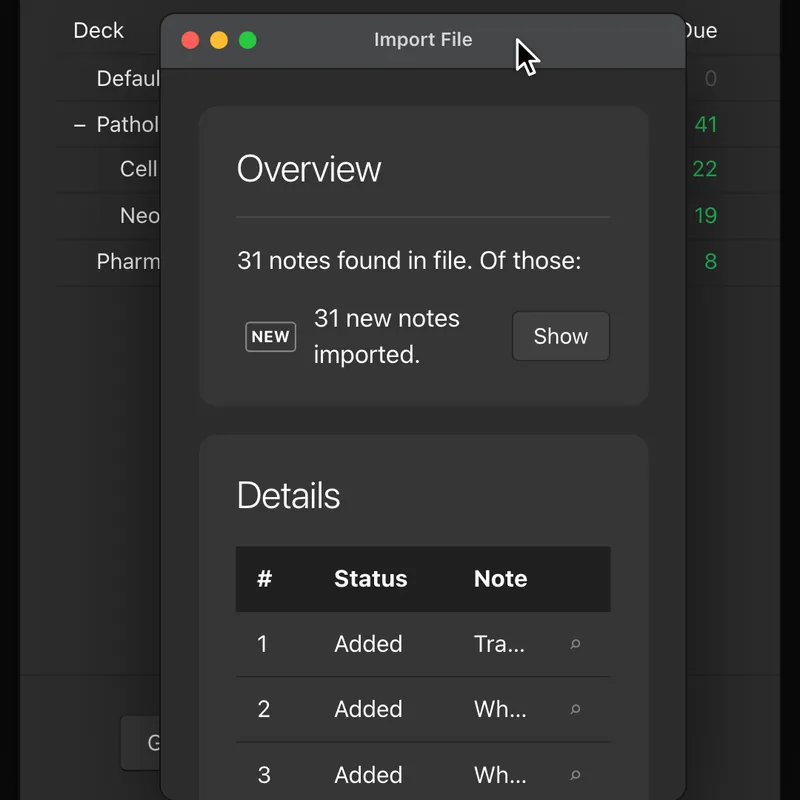
The request on r/medicalschool was literal: put the lecture files in, get the cards out. Here is what literal looks like. The output is a standard .apkg file. You download it, open Anki, choose Import, and the deck lands in your collection like any shared deck. It works in Anki desktop, AnkiMobile and AnkiDroid. No add-on, no CSV mapping.
Cards come in five shapes, chosen by what the slide is doing. A definition or a single mechanism step becomes a basic question and answer card. Two drugs the professor set side by side become a comparison card. A slide that is really a table becomes a table card. A pathway becomes a causal chain card that asks for the next step. A slide that ends in a clinical consequence becomes a short practice vignette card.
Every card has the source slide image on its back, under the answer, with a one-line note on why the point matters. That slide is what makes the deck checkable. When a card feels off during review, you are looking at the slide it came from, not hunting for it in the PDF.
Which PDFs work
Text-based lecture slides are the most reliable input. Slides exported from PowerPoint or Keynote, course handouts and typed notes all have a text layer. If you can click and drag to highlight a sentence in your PDF viewer, you have one.
A scanned or image-only PDF still works. Pages with little or no text layer are read as images, so a photocopied handout, or a deck where every slide was pasted in as a screenshot, still produces a deck. Check those cards more carefully against the slide on the back, because the model is reading a picture of the text rather than the text itself.
Diagram-heavy slides are fine. The diagram lands on the back of the card as the slide image. The tool does not do image occlusion. Hiding the labels on an anatomy figure one at a time is still a job for Anki's own tool.
If your file is a .pptx or .ppt, upload it as it is. It is converted on the server and follows the same path from there. What happens to speaker notes, and how to handle Keynote and Google Slides, is on the PowerPoint to Anki page. You can also paste plain text, which is turned into a PDF before generation.
The 100-page limit and the splitter
One upload takes up to 100 pages and 200 MB. That covers almost any single lecture. Where it bites is the merged block PDF, the 240-page course pack, or the textbook chapter someone exported whole.
A longer PDF does not fail. It opens the built-in splitter, and you cut the file into lecture-sized sections before anything is generated. Each section is then its own upload, its own deck, and its own credit. Cut at lecture boundaries, not at page 100. A deck that ends mid-lecture is harder to finish than two decks that each match one class.
Splitting also helps the cards. A medical student on r/Anki asked for a workflow for 100 to 300 page PDFs, and nearly every reply said the same thing: break the document into chapters or the model skips things. Smaller sections mean each slide gets read.
How many cards to expect
Fewer than you might think, on purpose. The generator is instructed to stay under roughly three cards per content slide, and to spend those cards on the learning objectives first, then on anything the professor repeated or checked with an in-lecture question. Most slides do not need three.
That guardrail exists because of what happens to big decks. A UK medical student on r/medicalschooluk put it plainly: a smaller deck you can actually review each day beats a monster deck that sits gathering dust. Their test for every lecture was “If I could only make 10 cards for this lecture, which ones would they be?” The generator applies a version of that question so you do not have to.
If the count still feels high for the lecture, delete before you review. If it feels low, check the objectives slide against the deck before assuming something was missed. The reasoning behind the number, and how it shifts between a dense pharmacology lecture and a light intro, is in how many Anki cards per lecture.
What to check before the cards enter a review schedule
A card that enters Anki today comes back on a schedule for months. A wrong card comes back on the same schedule. So the check happens once, before the first review, and it is short.
The r/Anki student asking for a PDF workflow set the bar well. They did not expect the AI to be perfect. They planned to “review every card before studying” and wanted something that saved time “without sacrificing important details.” Open the PDF next to the deck and work through four passes, one job each.
- 1
Generate
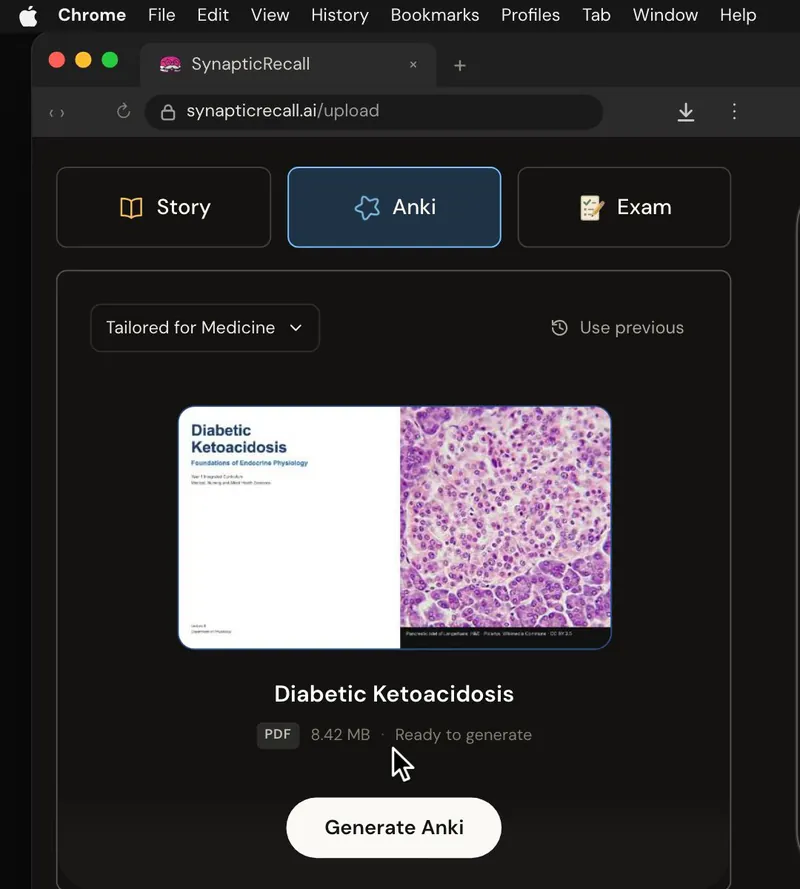
Upload the PDF, pick Anki, and let it run. Progress shows on the upload page, and a typical lecture takes a few minutes.
- 2
Audit
Read the first ten cards, then every card that carries a dose, a lab value, a staging system or a treatment choice. Compare each against the slide on its back. Delete anything wrong, and anything that asks a question the slide does not answer.
- 3
Study
Import the .apkg and answer the cards once. A prompt that can mean four things shows itself here, not on an editing screen.
- 4
Repair
Rewrite only the prompts that failed during retrieval. Edit in Anki, or on the Standard plan and above edit in your library and download the deck again.
Where this sits next to AnKing
AnKing stays your board deck, this deck is the lecture-specific layer on top of it, and how the two fit together has its own page.
Cards handle retrieval. They do not tell you whether you can use the fact when it arrives inside a patient stem. Once the first review is done, generate practice questions from the same lecture and find the concepts you can recall but not apply.
Questions students ask
Quick answers
Does the deck import into Anki without an add-on?
Yes. It is a standard .apkg file. Open Anki, choose Import, and select the file. This works on Anki desktop, AnkiMobile and AnkiDroid, and the cards behave like any other cards in your collection.
Will a scanned PDF work?
Yes. Pages with little or no text layer are read as images, so a scanned handout still produces a deck. Text-based slides are the more reliable input, so check cards from a scanned file more carefully against the slide on the back.
How many credits does one lecture PDF cost?
One credit for the Anki deck on its own. Anki plus Practice questions is two, and all three outputs is three. New accounts start with five credits and no credit card. Plans are on the pricing page.
Can I edit the cards after they are generated?
Yes. Once imported they are ordinary Anki cards, so edit them in Anki as you would any other. On the Standard plan and above you can also edit cards in your library and download the deck again.
Does it make image occlusion cards?
No. It puts the source slide image on the back of every card so you can check the card against the slide. For hide-the-label figures, use Anki's built-in image occlusion tool.
Sources and further reading
- a preclinical student on r/medicalschool, “Making Lecture Anki Cards Takes too Long”
- a student on r/medicalschool asking for a tool to “convert PowerPoint slides and other lecture materials into flashcards”
- a medical student on r/Anki, “I plan to review every card before studying”
- a UK medical student on r/medicalschooluk, “If I could only make 10 cards for this lecture, which ones would they be?”
PDF to Anki
Turn the PDF you have open into a deck you can check
Upload the PDF, pick Anki, and get a deck with the source slide on the back of every card. Five credits to start, no card required.